
Your posing coach, right in the camera
Pick a pose. The camera reads your body live and tells you what is still off. When it says it works, you take the photo.
 Scan to open Google Play on your phone
Free to start with 42 poses. No account. Android.









Every pose answers three questions
A pose photo alone does not help much when you are the one standing there. So each of the 194 poses comes with the three things people actually ask.

What to say
Hold the cup at chest height, start walking, and look past me.
Where the camera goes
At hip height. Zoom to 2x and step well back, about 5 to 6 steps.
How it works
Pick a pose
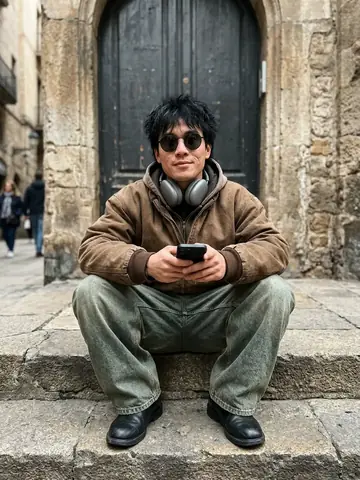
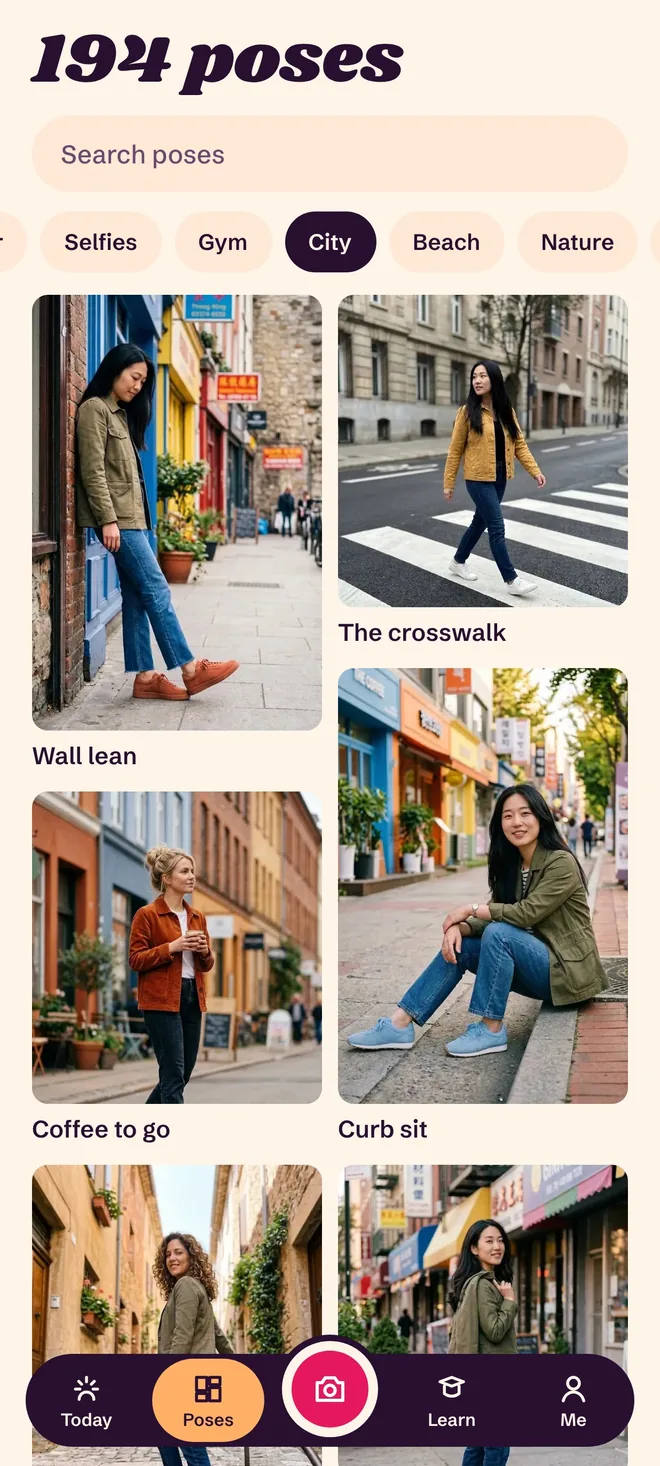
Browse 194 poses by place: city, beach, café, gym, home and ten more. Each one shows an example photo and the camera height.
Match the figure
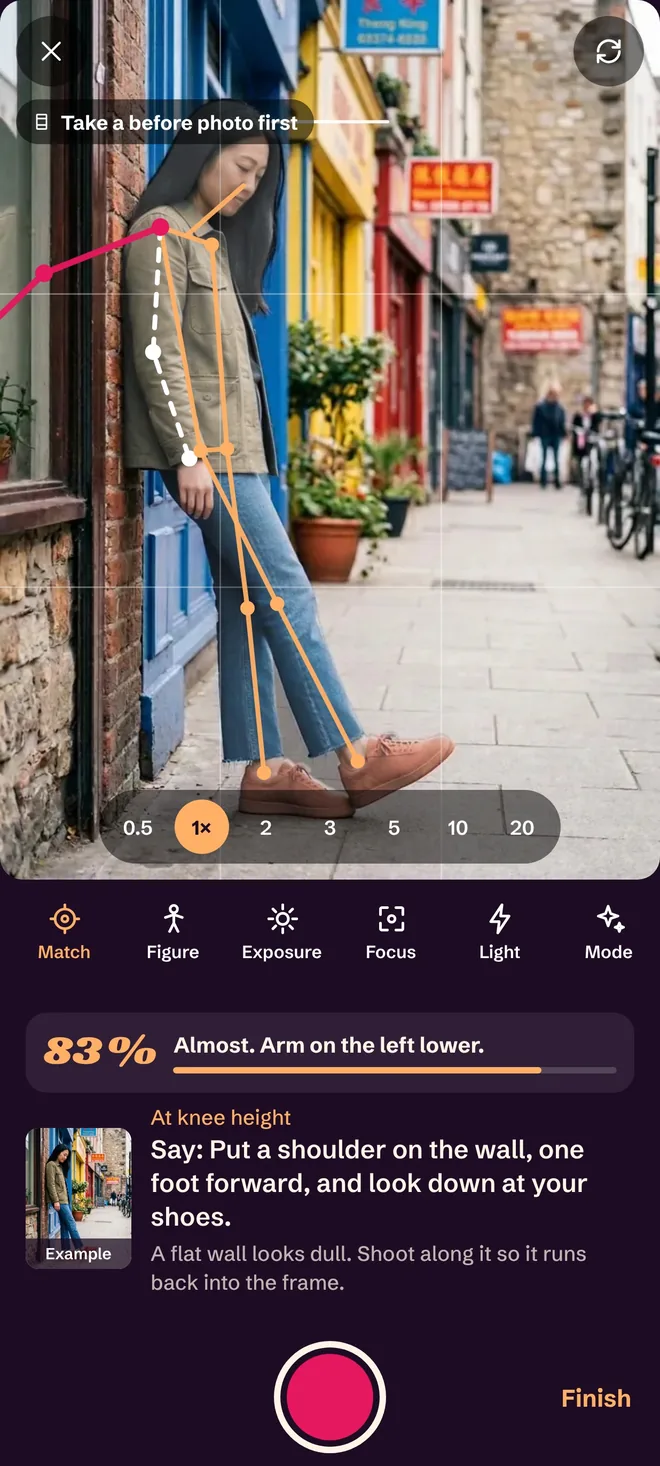
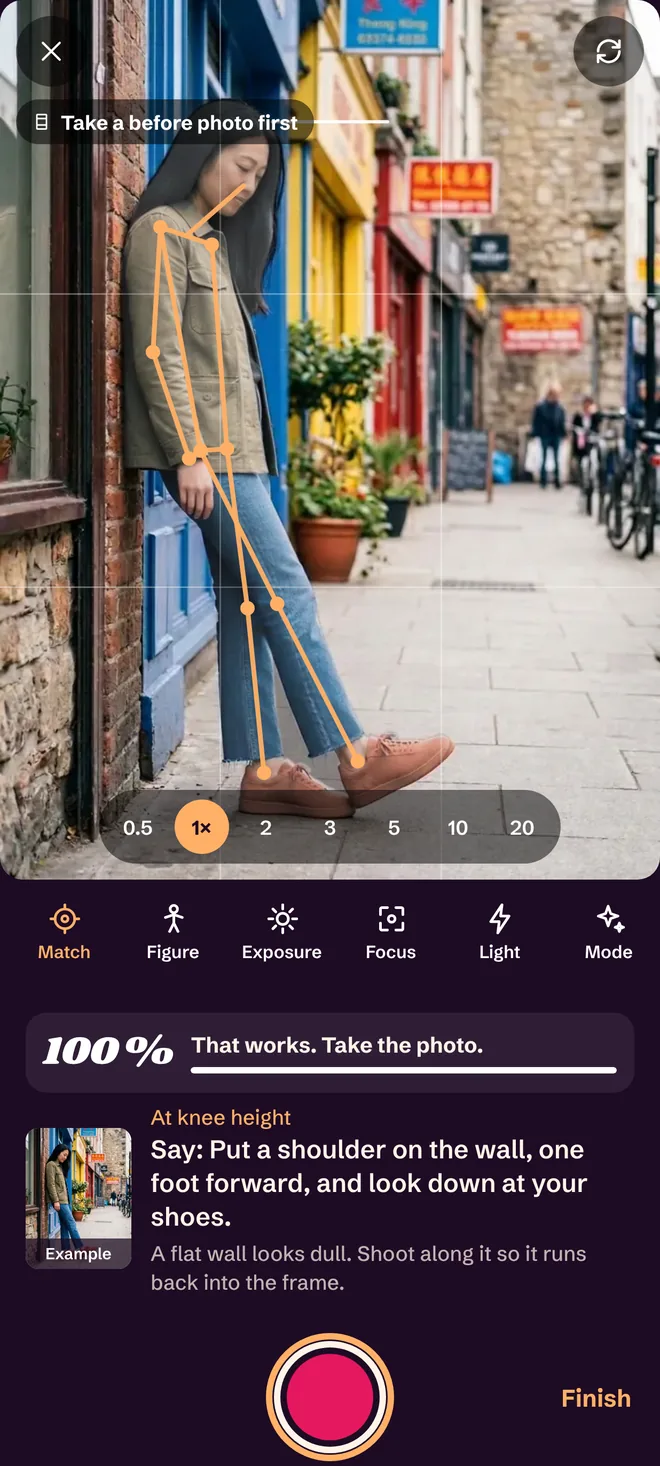
Open the pose in the camera. A figure sits over the live picture and a percentage shows how close you are, with a hint like “head higher”.
Take the photo
When the bar says it works, press the shutter. Your photos stay on your phone.
194 poses, sorted by where you are
Open a place and you get poses that fit it, with example photos for women, men and couples.












Taking the photo for someone else?
Then the app is for you too. Every pose tells you where to stand, how high to hold the phone, and one sentence to say. You stop saying “just stand there”.
Turn your back to me. Now just your head over the shoulder, chin down.Over the shoulder, Golden hour
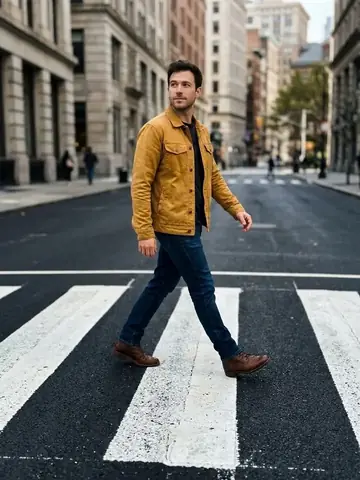
Walk toward me slowly and look down as if you are thinking about something.Backlit walk, Golden hour
Put a shoulder on the wall, one foot forward, and look down at your shoes.Wall lean, City
Posing tips you can use on the next photo
Short guides on hands, angles, couples and selfies. New ones are added regularly.

What to do with your hands in photos
Seven things to do with your hands in photos so they stop hanging at your sides. Pockets, props, hair, walls, and the one rule behind all of them.
Guide, 4 min read
How to pose for photos when you feel awkward
Posing tips for people who freeze in front of a camera. Eight small changes in posture, weight and angle that make photos look relaxed.
Guide, 3 min read
How to take good photos of your girlfriend
A guide for the person holding the phone. Where to stand, how low to go, what to say, and how many photos to take so she actually likes them.
Guide, 3 min read
What is free and what is Pro
Free
- 42 poses across all 15 places
- One extra pose unlocked every day
- Shoots with 3 poses
- 3 shoots with the live match
- 4 lessons on angle, lens and selfies
- Camera with zoom, focus and exposure
Pro
- All 194 poses and 26 lessons
- Shoots with 6 poses
- Unlimited live match
- Manual focus, ISO, shutter and white balance where your phone supports them
- Portrait, night and HDR modes where your phone offers them
Pro is a yearly or weekly subscription or a one-time purchase in Google Play. Subscriptions renew until you cancel them there.
Questions and answers
Is Hold That Pose free?
You can use 42 poses, one extra pose every day, 4 lessons and the camera without paying. The live match is included for 3 shoots. Pro unlocks all 194 poses, all lessons and unlimited live match.
Is there an iPhone version?
Not yet. Hold That Pose is available for Android on Google Play.
Do my photos leave my phone?
No. The pose match runs on your phone, your photos are saved to your own gallery, and the app needs no account.
How does the live match work?
The app estimates your body position and head direction from the camera picture and compares them with the pose. It shows a percentage and one hint at a time. It works for one person in the frame, and it is an estimate, so treat it as a guide.
Can I use it alone?
Yes. Selfie poses use the front camera, mirror poses use the main camera, and for everything else you lean the phone somewhere and use the timer.
Are the example photos real people?
No. The example photos are made with AI and show no real people.
Try it on your next photo
Pick a pose, match the figure, press the shutter.
Get it on Google PlayFree to start with 42 poses. No account. Android.